
ZAPIER · MAKE · N8N · MIGRATION
We move the workflows that have outgrown Zapier or Make into n8n, one at a time, running old and new side by side until the results match. Hosted in Australia if your data needs to stay onshore.
- ZAPIER
Web form → CRM + Slack alert
6 steps · runs all day
- MAKE
Xero overdue invoices → reminders
router + iterator
- ZAPIER
Gmail PDFs → Drive + Sheets
filter + formatter
- MAKE
Shopify orders → stock sheet
data store lookup
Mapping triggers, steps, filters and credentials
example migration · orange = in progress, green = live
001 / THE SHORT ANSWER
Only if it fixes a real problem. The good reasons are a bill that climbs every time your business gets busier, workflows that have outgrown a simple builder, AI steps you want more control over, or client data that needs to stay in Australia. If your automations are simple, cheap and reliable, stay where you are.
Happy on Make and just want it running properly? Our Make consultant page covers fixing scenarios, error handling and credit usage without moving anywhere.
We're not selling one tool. AI Lab Australia is an official Zapier partner, and we build n8n workflows every week, including a free library of tested n8n templates. So the first thing we do is look at what you run today and tell you honestly which workflows are worth moving, which are fine where they are, and what it would cost to move them.
002 / SIDE BY SIDE
The biggest difference is how each one counts usage. Zapier counts tasks, Make counts credits and n8n counts executions, so a ten-step workflow costs ten units on Zapier and one on n8n. The next biggest is where your data goes: only self-hosted n8n can keep it in Australia.
| CRITERION | n8n | Zapier | Make |
|---|---|---|---|
| Billing unit | Executions: one per workflow run, however many steps it has. No licence fee for self-hosted Community Edition. | Tasks: one for each successful action step in a Zap. | Credits: most module actions use one, some AI features use more. |
| Hosting | n8n Cloud, or self-hosted on your own servers or cloud account. | Hosted service only. | Hosted service only. |
| Data location | Wherever you self-host it, including Australian regions. n8n Cloud is hosted in Frankfurt. | United States, with no regional choice. | EU or US, chosen when the organisation is set up. |
| Builder | Node canvas with branching, loops, expressions, custom code and HTTP requests. | Step-by-step editor with paths for branching. | Visual canvas with routers, iterators, aggregators and error handlers. |
| Integrations | Hundreds of built-in nodes, plus HTTP and code for anything with an API. | The largest catalogue of ready-made app connectors. | Several thousand apps, plus HTTP and webhook modules. |
| AI steps | AI agent nodes that can use any model provider, including local models. | Zapier Agents, AI steps inside Zaps, Zapier Canvas and Zapier MCP. | Maia assistant, AI agents and AI app modules. |
| Learning curve | Moderate to steep. JSON, expressions and hosting skills help. | Low. Most people build a first Zap in minutes. | Moderate. Data mapping and iterators take practice. |
| Who maintains it | You or your provider, if self-hosted: updates, backups, security. | Zapier. | Make. |
Plans and prices change often and all three bill in US dollars or euros, so check each vendor's pricing page against your own monthly usage. Deeper head-to-heads: n8n vs Zapier and Make vs Zapier.
003 / COST
Because Zapier charges for every successful action step, so cost grows with both volume and complexity. A five-step Zap that runs 400 times a day uses about 2,000 tasks a day. The same workflow in n8n is 400 executions, and on a self-hosted server there is no per-run charge at all.
Make is usually cheaper per action than Zapier, but it still counts each module, so long scenarios with iterators over big lists add up quickly. n8n's per-execution model rewards exactly the workflows that hurt most elsewhere: many steps, loops over records, and lots of runs.
Self-hosting isn't free, though. You pay for a server, a database and backups, and someone has to keep n8n updated and secure. For a business with ten simple Zaps, that overhead can cost more than the Zapier bill it replaces. That's why we compare your real task or credit usage, not list prices, before recommending a move.
004 / WHEN TO STAY
Stay put when the tool is doing its job. A migration costs time and carries risk, so it has to pay for itself. These are the cases where we'd tell you not to move.
Your team builds its own
Non-technical staff create and fix automations themselves, and that independence is worth more than the saving.
Low volume, few steps
A handful of two or three-step Zaps that run a few times a day cost little and rarely break.
Niche app connectors
You rely on SaaS apps that only Zapier connects to out of the box, and rebuilding them over raw APIs isn't worth it.
Nobody to own a server
There's no IT provider or developer to patch and back up self-hosted n8n, and you'd rather not pay someone to.
Make already fits
Your team thinks in Make's visual canvas, the bill is reasonable and EU hosting meets your obligations.
Keep both
Often the right answer is hybrid: simple Zaps stay, heavy or sensitive workflows move to n8n.
005 / WHEN N8N WINS
n8n wins on volume, complex logic, AI steps and data residency. If two or more of these apply to you, a migration usually pays for itself.
Volume. Workflows that run hundreds or thousands of times a day, or loop over long lists of orders, invoices or contacts, cost far less when you're billed per run instead of per step.
Complex logic. n8n handles branching, merging, loops, retries and sub-workflows on one canvas, and lets you drop into JavaScript or call any HTTP API when a ready-made node doesn't exist. That makes it a good fit for internal systems and Australian tools like Xero, MYOB and ABN Lookup checks.
AI steps. n8n's AI agent nodes can use any model provider, including local models, with your own prompts, tools and a person approving anything that matters. We've written up a tested n8n agent build with one human approval for supplier bills in Xero.
Data residency. Self-hosted n8n can run in AWS Sydney or Melbourne, Azure Australia East or on your own servers, so workflow data stays onshore. Zapier is hosted in the United States and Make in the EU or US, which makes every run an overseas disclosure under APP 8 of the Privacy Act 1988. For health, legal, financial or client-confidential data, that alone can decide it.
006 / THE MIGRATION
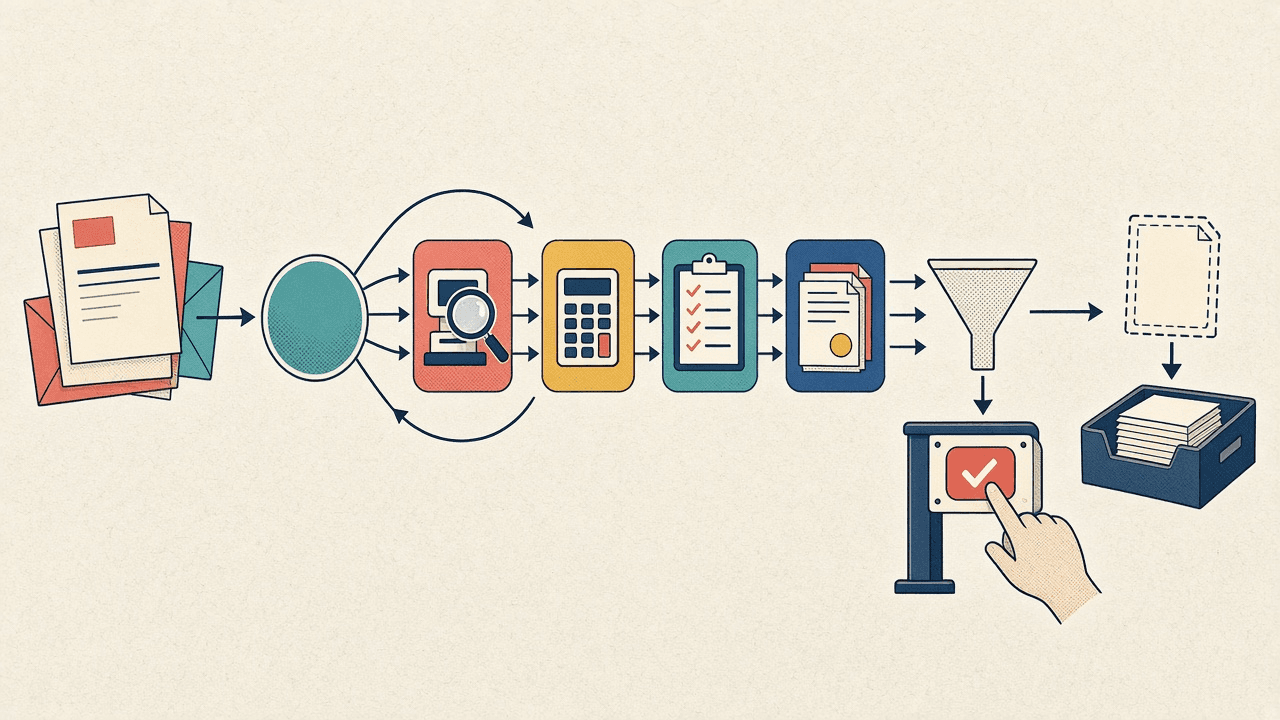
Six steps, one workflow at a time. Nothing is switched off until its n8n replacement has run alongside it and produced the same results. Make scenarios follow exactly the same process.
- 01
Inventory every Zap and scenario
We list each one: its trigger, steps, filters, formatter and code steps, connected accounts, how often it runs, its task or credit use, and who relies on it. Unused and duplicate workflows are marked to retire.
- 02
Map triggers, data and credentials
Each trigger gets an n8n equivalent: webhook, polling, schedule or app trigger. We note every webhook URL that will change, every data store or table to move, and which logins should be business-owned accounts rather than a former employee's.
- 03
Rebuild in n8n
Workflows are rebuilt, not auto-converted, with error handling, retries and alerts added, and related Zaps merged where it makes sense. Every workflow is exported as JSON and handed to you.
- 04
Run in parallel
The n8n version runs alongside the original against the same inputs, writing to a test destination or with outbound actions paused, and we compare the outputs record by record.
- 05
Cut over
Once results match, we repoint webhooks and forms, switch the n8n workflow live and turn the old one off, without deleting it, so rolling back is a single switch.
- 06
Monitor and retire
We watch the first weeks closely, with alerts to a person on any failure, then cancel or downgrade the old plan once nothing depends on it.
007 / RISKS
By never having a moment where nothing is running. The old automation stays live until the new one has proven itself, and every cut-over can be reversed in minutes. These are the risks we plan for on every migration.
Duplicate actions. Two live workflows can send the same email twice or create two invoices. During the parallel run the n8n version writes to a sandbox or has its outbound steps paused, so only one system ever acts on a real customer.
Changed webhook URLs. Forms, payment providers and apps that call a Zapier or Make webhook need the new n8n address. We list every one in the inventory and update them in a planned window, with the old workflow still able to catch anything sent to the old address.
Reprocessed history. Polling triggers in a new tool can pick up old records as if they were new. We set start points and de-duplication so only genuinely new items are processed.
Hidden logic. Filters, formatter steps, lookup tables and stored values often do more than anyone remembers. The inventory captures them, and the parallel run catches anything it missed.
Ownership and time zones. We reconnect apps with accounts the business controls, store secrets in n8n's credential store rather than in the workflow, and set schedules to the right Australian time zone so the 8 am report still arrives at 8 am.
If the workflows touch personal or client information, self-host n8n in an Australian region. If they don't, n8n Cloud is the lowest-maintenance option and there's nothing to patch.
Self-hosting means running n8n in your own cloud account, for example AWS in Sydney or Melbourne or Azure Australia East, or on servers you already manage. A production setup needs more than a quick Docker install: a proper database, HTTPS, backups, monitoring, regular updates and access controls. We set that up, document it, and either look after it or hand it to your IT provider.
Whichever you choose, the workflows are yours. They export as JSON and can be moved between n8n Cloud and self-hosted later without rebuilding, with only the credentials reconnected.
009 / AFTER GO-LIVE
We can, or your team can, and you can change your mind later. Our ongoing support is scoped around what you run: monitoring with alerts to a person when a workflow stalls or fails, fixes, n8n updates and backups if we host it, and a monthly review of what ran, what broke and what to automate next. Cover is business hours, Monday to Friday, Sydney time, and response times are agreed per project.
If you keep some workflows on Zapier or Make, we look after those too. If you'd rather run it in-house, we hand over documentation and train the people who'll own it. You own the workflows, credentials and data either way, with no lock-in.
We're based in Sydney and work remotely across Australia and New Zealand, flying in for kick-offs, training and go-lives when it helps to be in the room. For new n8n builds rather than migrations, see our n8n consultants and agentic workflows pages.
010 / BUILT AND RUNNING


011 / QUESTIONS
Anything else is quicker to answer on a call. Thirty minutes, free, with the people who would build it.
Not reliably. Zapier, Make and n8n model triggers, filters, data mapping and errors differently, so we rebuild each workflow in n8n from an inventory of what the original actually does, then test it against real examples. Rebuilding is also the moment to merge duplicates and drop workflows nobody uses.
Send us a list of your Zaps or scenarios, or a screenshot of your usage. In thirty minutes we'll tell you what to move, what to keep and what it would take.
Book a free call→