
MONDAY.COM AUTOMATION · SYDNEY · AUSTRALIA AND NEW ZEALAND
monday.com is easy to start and easy to outgrow: boards multiply, recipes pile up and the monthly actions run out mid-month. We design boards and recipes properly, keep high-volume work off your action count, and connect monday.com to Xero and your other systems.
- WHENDeal status changes to WonSales pipeline board
- THENCreate an item in Client deliveryconnected to the deal, owner copied across
- ANDAdd the onboarding subitemskick-off, access, first deliverable
- WHENStatus changes to Ready to invoiceClient delivery board
- THENSend to an outside workflowwebhook → draft invoice in Xero
- ANDNotify the account managerinvoice number written back to the item
001 / THE SHORT ANSWER
monday.com can move items, change statuses, assign people, notify the team, create items on other boards and send emails on its own, from the Standard plan up. Start where work changes hands: an enquiry becoming a job, a sale becoming a project, a draft waiting for approval, finished work waiting to be invoiced.
Recipes are only as good as the boards beneath them, so the order we usually work in is:
- ✓Agree what each board is for and what each status means
- ✓Check your plan's monthly actions against how often each recipe runs
- ✓Get requests and enquiries onto boards through forms, without duplicates
- ✓Automate the handovers between boards, then the approvals and reminders
- ✓Connect the boards to Xero and other systems, and add AI where it saves real time
This page is about monday.com itself. If you're still deciding where customers and deals should live, see CRM automation, Pipedrive automation or HubSpot automation.
002 / ACTION LIMITS BY PLAN
Standard includes 250 automation actions and 250 integration actions a month; Pro includes 25,000 of each; Enterprise lists up to 250,000 combined. That hundredfold jump between Standard and Pro is the single most important number on monday.com's pricing page for anyone planning automation.
The two allowances are separate: automation recipes and monday apps draw on one, integration recipes such as Gmail or Slack on the other. monday CRM has its own plans (Basic, Standard, Pro and Ultimate) with a similar 250 and 25K pattern.
| Plan | Monthly actions | AI and API allowances | What it means in practice |
|---|---|---|---|
| Free and Basic | No automation or integration actions listed | Basic lists 1,000 AI credits a month | Fine for a team's to-do boards; anything that should move by itself needs Standard or an outside tool |
| Standard | 250 automation + 250 integration actions a month | 2,000 AI credits; 3 workflows; 1,000 API calls a day | Enough for a handful of low-volume recipes. One busy intake board can use it up |
| Pro | 25,000 automation + 25,000 integration actions a month | 3,000 AI credits; 20 workflows; AI workflow builder; 10,000 API calls a day | Where most operations teams land once boards connect to each other |
| Enterprise | Up to 250,000 actions a month, automations and integrations combined | AI credits matched to usage; 250 workflows; 25,000 API calls a day | Large teams, governance and permissions; quoted by monday.com sales |
Source: monday.com/pricing and mondaycrm.ai/pricing, checked November 2026. monday.com repackages plans from time to time; your account's Account usage page shows your real allowance.
003 / WHERE ACTIONS GO
Because every step that does something counts, every time it runs, and a few recipes on a busy board add up quickly. On Standard, a request board taking ten submissions a day through a three-action recipe uses 250 actions in about eight days.
monday.com's help centre says condition steps in the workflow builder draw on the allowance too, apps installed from the marketplace can use actions in the background, and once the month's actions are gone you can't add or edit automations and integrations until they refresh. Admins get email warnings as usage rises, and the Account usage page shows which boards are using what.
What we change first:
- ✓Merge overlapping recipes, so one status change triggers one flow instead of four
- ✓Replace notify-everyone recipes with one digest a day, built outside monday.com
- ✓Move the highest-volume job (usually intake or syncing) to Make, Zapier or n8n
004 / INTAKE
One front door per kind of work, with the source recorded, so nobody retypes an email into a board.
- 01
monday.com forms for internal requests
Each submission becomes an item. Conditional questions keep the form short, and a recipe assigns it by request type.
- 02
Your website form for customer enquiries
A small workflow takes the submission, filters spam, checks for an existing item by email and creates or updates one.
- 03
Shared inbox to items
An AI step picks out genuine requests from info@, extracts the details and creates an item for a person to triage.
- 04
Clean columns from day one
Dropdowns for state, service and source instead of free text, so filters and dashboards work later.
005 / SALES TO DELIVERY
Keep sales and delivery on separate boards, link them with a connect boards column, and let one recipe create the delivery item when a deal is won. The delivery team sees the client, value and scope through mirror columns without anyone copying them across.
Avoid one giant board with groups for “sales” and “projects”; permissions and recipes get messy. On the delivery board, the recipe adds standard subitems, sets dates and assigns the project lead. The same pattern carries through to invoicing, the core of our lead-to-cash automation service.
006 / APPROVALS
Yes, for simple ones: a status column for the decision, a people column for the approver, and recipes that notify, remind and move the item on. That covers content sign-off, purchase requests under a limit and leave requests well.
When the approver depends on the amount, or the decision must be recorded elsewhere, such as a purchase order in Xero, we use the workflow builder's conditions or an outside workflow that writes the result back. A person still decides; automation makes sure the right person sees it on time. Our agentic workflows service covers approval steps with AI in the loop, and AI for manufacturers shows how quotes and purchase orders get checked before a person approves them.
007 / MONDAY CRM
monday CRM is enough when your sales process is short and feeds straight into delivery work you already run on monday.com. Deals and projects then live in one account.
monday CRM lists two-way Gmail and Outlook sync, quotes and invoices, lead scoring and, from Pro, email sequences. A dedicated CRM such as HubSpot, Pipedrive or Salesforce usually wins when marketing automation, a large sales team or detailed sequence reporting matters more than the handover. Plenty of businesses keep their CRM and use monday.com for delivery, with a webhook from the won deal creating the project. If your CRM is Salesforce, see Salesforce consultant.
008 / INVOICING
Through a third-party app from the monday.com marketplace, or a short workflow that raises a draft invoice when an item reaches Ready to invoice. Several third-party apps listed on the Xero App Store install into monday.com and create invoices or quotes from board items; Zapier and Make have Xero connectors too.
What we check before choosing:
- ✓Does it raise a draft for the bookkeeper, or an authorised invoice that needs a credit note when wrong?
- ✓Does it match the Xero contact on legal name and ABN, or create a new one each time?
- ✓Where do GST, account codes and tracking categories come from on each line?
- ✓Does the invoice number and paid status come back to the item, so delivery can see who has paid?
More on the accounting side is on Xero automation and, for MYOB businesses, MYOB automation.
009 / MONDAY AI
monday AI adds AI columns and AI blocks that summarise, categorise and extract from items, the Sidekick assistant, a meeting notetaker, agents and, on Pro and Enterprise, an AI workflow builder. Each draws on a monthly pool of AI credits: monday.com lists 1,000 on Basic, 2,000 on Standard and 3,000 on Pro.
monday.com's help centre lists AI blocks at 8 credits per action, and agents cost more as tasks get complex, so a board that categorises every request with AI can run through credits the way recipes run through actions. Admins can set usage limits and decide whether AI is enabled at all.
Use monday AI for on-board jobs such as sorting requests or summarising updates; use an outside AI step when the output must follow your rules or needs data from other systems. Our AI agent development page covers that kind of build.
010 / NATIVE OR NOT
monday.com's recipes are enough when the trigger and the result are both on your boards and the volume fits your plan. Reach for an outside tool when the work starts or ends somewhere monday.com can't see well, needs matching or real logic, or runs often enough to exhaust the monthly actions.
An outside workflow talks to monday.com through its API, which has its own daily call allowance by plan, rather than through recipes. Check both on a test week before you move a big job across. For the tools themselves see Make consultant, Zapier consultant and n8n consultants.
If your work is closer to a database of linked records than a set of boards, compare it with Airtable automation, which counts runs per trigger rather than per action.
| The job | monday.com on its own | Zapier or Make | n8n workflow |
|---|---|---|---|
| Won deal creates a delivery item on a connected board | Yes, with a connect boards column | Not needed | Not needed |
| Enquiries from your own website form | Only via monday.com forms or a webhook | Yes, find then create item | Yes, with spam filtering, ABN lookup and logging |
| High-volume jobs that would eat your monthly actions | Uses actions every run | Uses your Zapier tasks or Make credits instead | Runs on your n8n plan or server |
| Ready to invoice to a draft Xero invoice | Through a marketplace app | Yes, for simple cases | Yes, with customer matching and review before approval |
011 / DASHBOARDS
Mostly. Dashboards combine boards into charts and workload widgets. What's missing is the report reaching people who never open monday.com.
Monday morning digest
A scheduled workflow posts each person's overdue items and this week's due dates to Teams, Slack or email.
Stuck work, named
Items sitting in one status longer than you allow are listed with their owner, instead of hiding in a chart.
Paid, not just done
With invoice status synced back from Xero, a dashboard can show cash collected against work delivered.
012 / DATA IN AUSTRALIA
Yes. monday.com hosts accounts in three regions, the United States, the European Union and Asia Pacific (Australia), and launched on AWS Sydney in 2023. Account data is hosted in the region assigned to the account.
monday.com's trust center says only Enterprise EU accounts get strict regional residency; for Australian accounts, some sub-processors may host data components elsewhere. It also says customer data isn't used to train AI models. Check the sub-processor list and decide what personal information belongs on shared boards. Our Privacy Act guide for AI in business covers your obligations under the Australian Privacy Principles.
013 / WHO YOU'D WORK WITH
An independent automation team that works across project tools, CRMs and accounting systems. We don't sell monday.com licences, so we'll compare a Pro upgrade with an outside workflow honestly.
Our free meeting notes to action items n8n template can be pointed at a monday.com board with n8n's monday.com node.
How it runs. A review of your boards, recipes and Account usage first, then one handover at a time, tested on real items. Every build is scoped and priced in writing, and you own what we build. AI Lab Australia was founded in Sydney in 2023; we work remotely with businesses across Australia and New Zealand, and fly in for kick-offs, training and go-lives when being there helps.
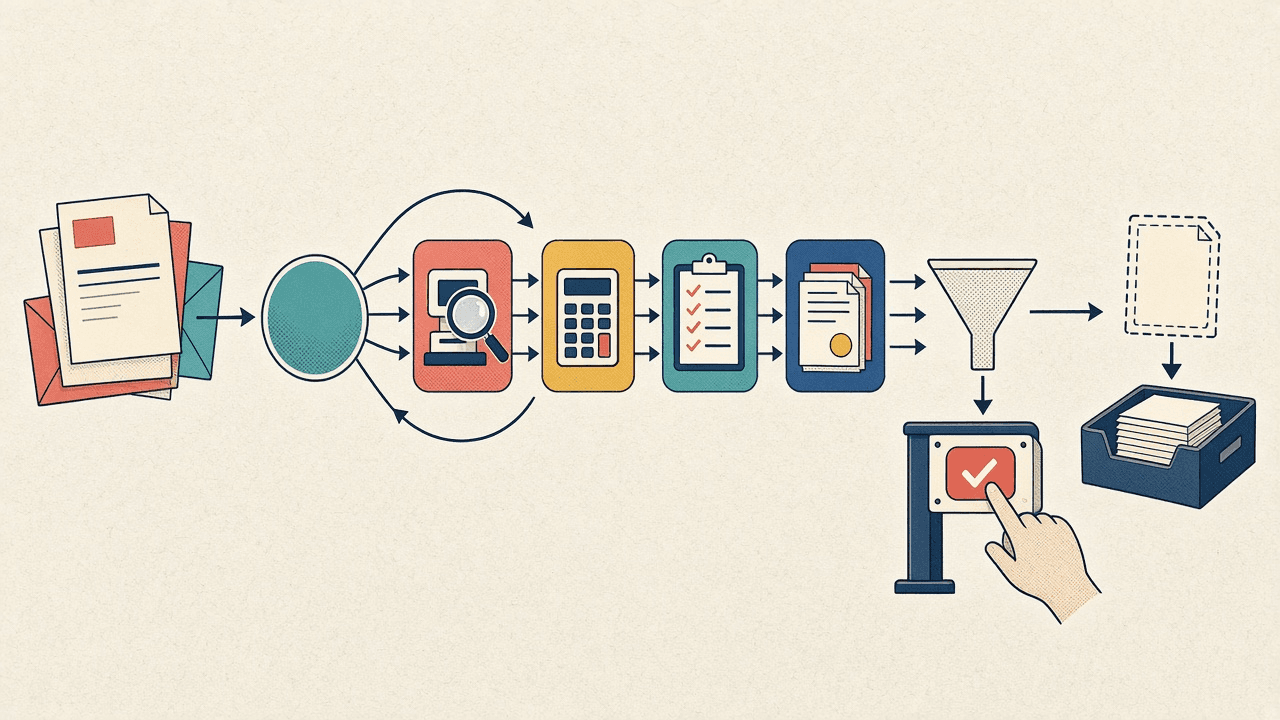
014 / BUILT AND RUNNING


015 / QUESTIONS
Anything else is quicker to answer on a call. Thirty minutes, free, with the people who would build it.
monday.com's work management pricing lists automations and integrations from Standard (250 automation and 250 integration actions a month). Pro lists 25,000 of each and Enterprise up to 250,000 combined. Free and Basic don't list automation actions. Check the pricing page and your own account, as packaging changes.
Tell us your plan and the handover that keeps going wrong. In thirty minutes we'll sketch which recipes to keep, what to move off your action count and where an outside workflow earns its place.
Book a free call→