
AIRTABLE AUTOMATION · SYDNEY · AUSTRALIA AND NEW ZEALAND
Airtable is a database that people actually enjoy using, which is why so many teams end up running jobs, stock, applications or client work on it. We design the base so the data stays clean, automate the handovers inside it, and connect it to Xero and the rest of your systems.
- FORMJob requestrequired fields, client picked from a list
- TABLERequestsstatus · source · linked to Clients
- LINKClientsone record per ABN, every job linked
- TABLEJobsowner · due date · AI summary for review
- VIEWReady to invoicetrigger: record enters view
- OUTDraft invoice in Xeroinvoice number written back to the job
001 / THE SHORT ANSWER
Airtable can create and update records, send emails, post to Slack and Microsoft Teams, generate documents and run scripts whenever a form is submitted, a record changes, a record enters a view, a webhook arrives or a schedule ticks over. Start with the base, not the automations: most automation trouble in Airtable is really a data structure problem.
The order we usually work in:
- ✓Map the real things you track (clients, jobs, assets, applications) and make each one a table, linked to the others
- ✓Put a form in front of every way new work arrives, with required fields, so records start complete
- ✓Build interfaces for each group of people, showing only what they need
- ✓Automate the handovers: new request to job, job to Ready to invoice, overdue to reminder
- ✓Connect the base to Xero and other systems, and add AI fields where a person still checks the output
002 / THE BASE AS AN OPS SYSTEM
Forms in, linked records in the middle, interfaces on top, automations moving work between them. A worked example for a services business taking job requests.
- 01
Forms for every way work arrives
A job request form with the client chosen from a linked list rather than typed, so 'Smith Plumbing' and 'Smith Plumbing Pty Ltd' never become two clients.
- 02
Tables that link, not tables that copy
Requests, Clients, Jobs and Invoices as separate tables joined by linked records. Lookups and rollups show the client's ABN without retyping it.
- 03
Interfaces per role
A triage page for the office, a 'my jobs' list for each tech, a summary page for the owner. Nobody needs to see the raw grid.
- 04
Views that drive automations
A view such as Ready to invoice, filtered on status and completed fields. 'When a record enters this view' is the trigger, so the rule lives in one visible place.
003 / RUN LIMITS BY PLAN
Airtable lists 100 automation runs a month per workspace on Free, 25,000 on Team, 100,000 on Business and 500,000 on Enterprise Scale. The allowance is per workspace, not per base, and it resets on the first day of each month.
Airtable counts a run each time a trigger fires, however many actions follow, and failed runs count too. That is the opposite of monday.com, which counts every action a recipe performs. So one automation that creates a record, emails the client and posts to Teams is one run.
| Plan | Automation runs | Other limits that matter | What it means in practice |
|---|---|---|---|
| Free | 100 runs a month | 1,000 records per base; no Run a script action; 500 AI credits per editor | Enough to try an automation. Not enough to run a business process on |
| Team | 25,000 runs a month | 50,000 records per base; Interface Designer; 15,000 AI credits per billable collaborator | Where most small teams land: forms, interfaces and a few dozen automations |
| Business | 100,000 runs a month | 125,000 records per base; two-way sync; admin panel; 20,000 AI credits per paid user | Busier bases, synced tables edited from more than one base, central admin |
| Enterprise Scale | 500,000 runs a month | Sales-led; 25,000 AI credits per paid user; the only plan with data residency | Large organisations, governance, and data held at rest in Australia |
Source: support.airtable.com, Airtable plans overview and Getting started with Airtable automations, checked November 2026. Airtable changes packaging from time to time and legacy plans differ; your workspace's billing page shows your real limits.
004 / SPENDING RUNS WISELY
Usually because the trigger is too broad: “when a record is updated” on a field people edit all day fires every time that field changes. Each of those is a run, and each can send a duplicate email.
What we change first:
- ✓Swap broad 'record updated' triggers for 'record enters view' or 'matches conditions', so an automation fires once when a record is actually ready
- ✓Add a 'notified' checkbox or timestamp the automation sets, so a record that leaves and re-enters a view doesn't email twice
- ✓Check run history (two weeks on Free, six months on Team, a year on Business) for failures, which also count as runs
Airtable also caps unique automations per base (75 on Free, 100 on Team, 150 on Business), another reason to merge rather than copy.
005 / AIRTABLE AI
Use field agents for jobs a person would otherwise do record by record, such as summarising a long request, classifying it by type or urgency, or pulling details out of an attached PDF, and keep a person checking the result before it is acted on. They run inside the base on paid plans, use AI credits per run and need AI switched on for the workspace.
Airtable calls most AI-powered fields field agents. They can write into long text, single and multiple select, number and linked record fields, read attachments such as PDFs and Word files, and research the web. Omni, Airtable's built-in assistant, can build fields, agents and whole bases from a description. Airtable's help centre notes that “Run automatically” regenerates a field when its inputs change while the base is open in a browser, so for records that arrive overnight, plan a scheduled re-check.
How we set them up so people can trust them:
- ✓AI writes into its own field, never over what a client or staff member typed
- ✓A Reviewed by and Reviewed on pair of fields, and automations that only act on reviewed records
- ✓Personal and health information kept out of AI fields altogether, as Airtable itself recommends for teams with PII policies
Airtable says input data isn't used to train its AI vendors' models. When the AI step needs your own rules or data from other systems, an outside agent is usually better; see AI agent development.
006 / NATIVE OR NOT
Airtable automations are enough when the work starts and ends inside your base, or ends in email, Slack, Teams or Google Workspace. Reach for an outside tool when the work has to log in to another system, match records across systems, retry when something is down, or keep a record of what happened somewhere other than Airtable.
The Run a script action (paid plans) can call other services, and a webhook trigger lets other tools start an Airtable automation. Logins to systems like Xero, retries and error alerts are easier to look after in a proper workflow tool. For the tools themselves see Make consultant, Zapier consultant and n8n consultants.
| The job | Airtable on its own | Zapier or Make | n8n workflow |
|---|---|---|---|
| Form submission creates a job, assigns an owner and emails the client | Yes, one run per submission | Not needed | Not needed |
| Daily reminder of overdue jobs to Slack or Teams | Yes, scheduled trigger plus a find records step | Not needed | Not needed |
| Job reaches Ready to invoice, draft invoice in Xero | No built-in Xero action | Yes, for straightforward invoices | Yes, with contact matching, GST and a log of every attempt |
| Website enquiries from your own site, with spam filtering | Possible with the webhook trigger and a script | Yes | Yes, with duplicate checks and an AI triage step |
| Keep Airtable and another system in step both ways | Two-way sync between Airtable bases from Business; other systems depend on the connector | Yes, with care over loops | Yes, with change tracking and conflict rules |
007 / INVOICING
With a short Make, Zapier or n8n workflow that picks up each record entering a Ready to invoice view and raises a draft invoice in Xero. Airtable has no built-in Xero action, so this is the most common reason an Airtable base needs an outside workflow at all.
What a solid version does:
- ✓Matches the Xero contact on legal name or ABN held on the linked Client record, instead of creating a new contact every time
- ✓Builds line items from linked Job lines, with GST, account codes and tracking categories set from fields, not guessed
- ✓Raises a draft, so your bookkeeper approves it, rather than an authorised invoice that needs a credit note when wrong
- ✓Writes the invoice number back to the job, and later the paid status, so the team can see who has paid without opening Xero
The accounting side is covered on Xero automation, and the end-to-end pattern on lead-to-cash automation. Our free Xero overdue invoice reminders n8n template handles the chasing once invoices exist.
008 / DATA HYGIENE
Automations amplify whatever is in the base. These are the habits that stop a two-year-old base turning into a spreadsheet with extra steps.
Required fields at the front door
Make fields required on the form or interface form people use, since that is where completeness is enforced, and keep grid editing for a few people.
Linked records, not typed names
Pick clients, sites and products from linked tables. Typed text can't be rolled up, and it's where duplicates are born.
Single selects with a short list
Fixed options for status, type and state. Filters, views, automations and AI classifications all depend on them.
Archive, don't delete
Completed records move to an archive table on a schedule, keeping the working table well under your plan's record limit.
009 / PERMISSIONS AND DATA
Interfaces control what each person sees and edits, and Australian data residency is available on Enterprise Scale only. Airtable offers residency in the United States, Europe and Australia; on other plans there's no region choice listed.
With residency switched on, base content, attachments, revision history and audit logs are stored at rest in the chosen region. Airtable's help centre says base and interface names, scripts, workspace names and user account data stay in US data centres regardless, and AI prompts are processed by model providers in the US and elsewhere.
For permissions, interface-only collaborators (Team and above) see pages, not tables, and each field in an interface can be view-only or editable. Airtable lists read-only access as included on Team and Business while editors are billed, so match roles to what people actually do. Our Privacy Act guide for AI in business covers your obligations under the Australian Privacy Principles.
010 / AIRTABLE VS MONDAY.COM
Choose Airtable when your work is really a database, and monday.com when it is really a set of projects moving through stages. If people keep asking “which records relate to this one?”, Airtable fits. If they keep asking “who's on this and when is it due?”, monday.com usually fits better.
We've written up monday.com separately on monday.com automation; if most of your records are customers and deals, a CRM may be the better home, covered on CRM automation.
| Airtable | monday.com | |
|---|---|---|
| What it is underneath | A relational database: tables, linked records, many field types | Boards of items moving through statuses, connected by board-linking columns |
| How automation is counted | One run per trigger, whatever the number of actions | Each action a recipe performs, counted separately for automations and integrations |
| Best at | Inventories, applications, content calendars, job and asset registers, anything with lots of fields | Project delivery, team workload, sales-to-delivery handovers |
| Australian data residency | Enterprise Scale only, for base content and attachments | Australian region available; see our monday.com page |
011 / WHO YOU'D WORK WITH
An independent automation team that works across databases, CRMs and accounting systems. We don't sell Airtable licences, so we'll tell you honestly whether a plan upgrade or an outside workflow is the cheaper fix.
How it runs. A review of your base, automations and run history first, then a written plan: tables to merge, fields to lock down, automations to rebuild. We change one handover at a time and test it on real records. Every build is scoped and priced in writing, and you own what we build. AI Lab Australia was founded in Sydney in 2023; we work remotely with businesses across Australia and New Zealand, and fly in for kick-offs, training and go-lives when being there helps.
If your team lives in Slack, see Slack automation; for Microsoft 365 teams, Microsoft Teams automation.
012 / BUILT AND RUNNING
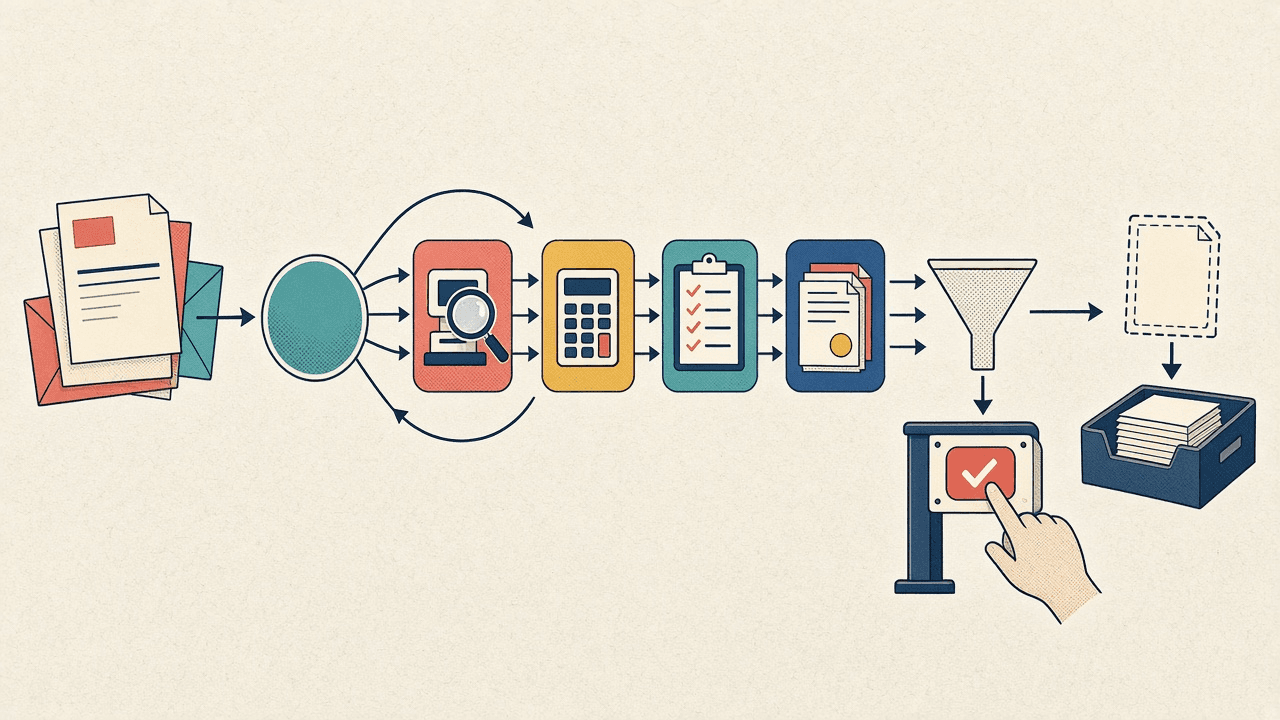


013 / QUESTIONS
Anything else is quicker to answer on a call. Thirty minutes, free, with the people who would build it.
Airtable's help centre lists 100 runs a month per workspace on Free, 25,000 on Team, 100,000 on Business and 500,000 on Enterprise Scale. A run is counted each time a trigger fires, failed runs count too, and the allowance resets on the first of each month.
Tell us your plan, your busiest table and the handover that keeps going wrong. In thirty minutes we'll sketch what to restructure, which automations to keep and where an outside workflow earns its place.
Book a free call→