
GOHIGHLEVEL AUTOMATION · SYDNEY · AUSTRALIA AND NEW ZEALAND
We built an after-hours voice platform for real estate agencies with 29 n8n automations and GoHighLevel as the CRM: speed to lead, Do Not Call washing, two-way CRM sync and opt-outs that reach every tool. Here's when HighLevel's own workflows are enough, and when a layer behind them pays off.
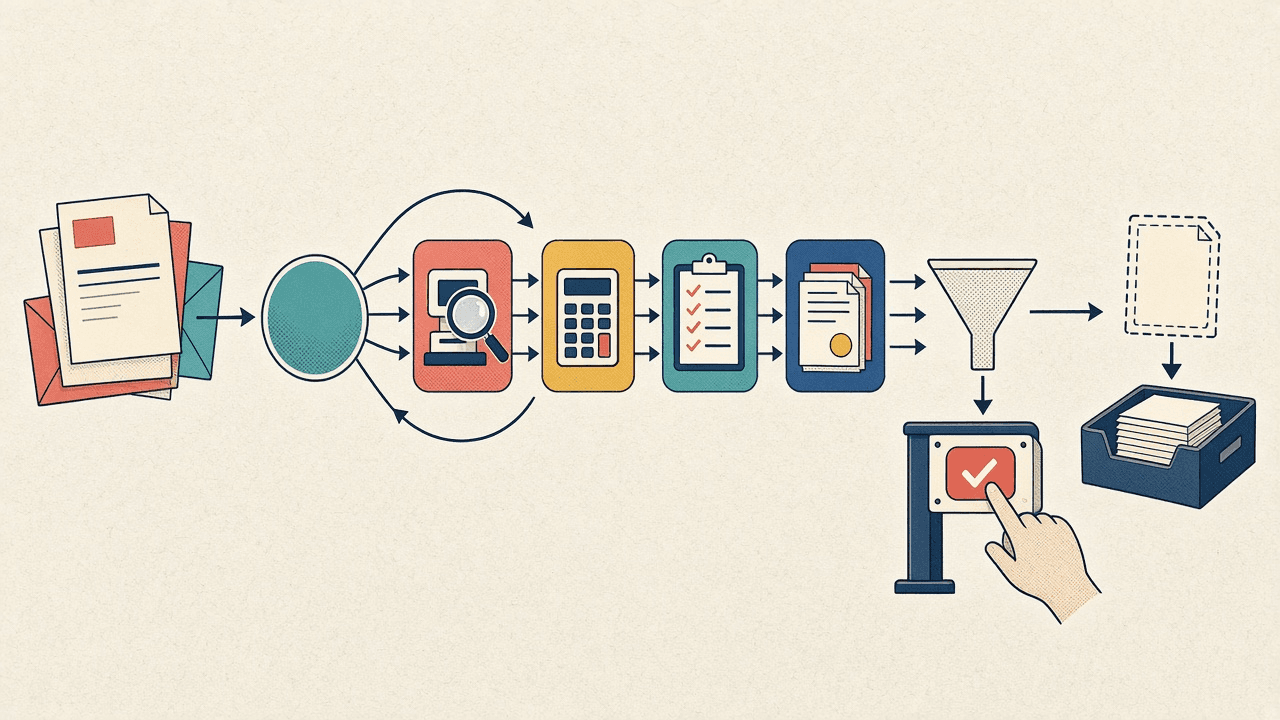
- TRIGGERNew enquiry lands in HighLevelform, ad lead or missed call
- WEBHOOKCustom Webhook → n8ncontact id, source, consent
- GATEConsent, Do Not Call wash, calling hoursfail = no call, note on contact
- ACTIONDial the enquirytarget: within 60 seconds
- SYNCStage, appointment, call notes → HighLevelopt-outs pushed to every tool
- LOGRun recorded, errors alertedweekly report to the client
001 / THE SHORT ANSWER
GoHighLevel, now usually called HighLevel, is an all-in-one CRM and marketing platform built around agencies. Each business sits in its own sub-account with contacts, pipelines, calendars, a shared inbox for SMS, email and social messages, and a workflow builder that runs actions when something happens.
Inside a sub-account you can automate most of the routine: tag and route new leads, move opportunities through a pipeline, send appointment reminders, alert staff, and follow up by SMS or email. HighLevel also has AI built in. Its Conversation AI workflow action holds a short text conversation on SMS, Facebook, Instagram, WhatsApp or live chat and branches on the reply, and its Voice AI agents handle phone calls, with Custom Actions that can call outside systems mid-call.
Where businesses come unstuck is around the builder: data from another system, the Do Not Call Register, opt-outs that must reach three tools, and failures nobody notices for a week. That's what this page covers. If you're still choosing a CRM, start with CRM automation; if HighLevel feels like more platform than you need, compare HubSpot automation.
002 / NATIVE OR N8N
HighLevel workflows are enough when the job starts and ends inside one sub-account. Add an n8n layer when the logic needs real branching on outside data, when other systems are involved, when an AI step has to follow your rules and be checked, or when someone needs to know the moment something fails.
The connection runs both ways: HighLevel's Custom Webhook action sends data out, its Inbound Webhook trigger starts a workflow from outside, and n8n reads and writes records through HighLevel's API. A sensible split keeps simple, visible steps in HighLevel where your team can edit them, and moves the heavy logic to n8n.
| THE JOB | HighLevel on its own | With an n8n layer |
|---|---|---|
| Tags, pipeline moves, reminders, internal alerts | Yes: this is what HighLevel workflows are for | Not needed |
| A short qualifying chat by SMS, WhatsApp or live chat | Conversation AI action, with custom, Time Out and No Condition Met branches | Only if the answers must be scored against your own rules or other data |
| Checking numbers against the Do Not Call Register | No: DND is your own opt-out flag, not a Register check | Yes: a wash gate before any marketing call or reactivation cadence |
| Reading or writing another system (property, job or accounts software) | Custom Webhook action, a premium action that can be billed per execution | Yes, through each system's API, with retries |
| AI summaries, classification or drafting with your prompts | Built-in AI where it covers the job | Yes, with validation, masking and a run history |
| Logging, error alerts and reports across many sub-accounts | Per-workflow history inside each sub-account | Yes: one error handler, a health monitor and weekly reports |
Feature names from HighLevel's help centre, checked November 2026. HighLevel changes features and billing often; check your own account.
003 / A REAL GOHIGHLEVEL BUILD
For Smart Call Systems we built an after-hours AI front line for real estate agencies: a voice agent on Vapi and Claude, with 29 n8n automations behind it and GoHighLevel as the CRM. Twilio, Smartlead and PostgreSQL complete the stack.
Two-way CRM sync
Contacts, pipeline stages, appointments and call notes kept in sync with GoHighLevel, so agency staff work from the records they already know.
Speed to lead
New enquiries dialled within a sixty-second target, with reactivation cadences and reminders held behind a Do Not Call wash gate.
Opt-outs everywhere
Someone who opts out on one channel is opted out on every channel and in every tool, not just the one they replied to.
Six mid-call tools
Book, check availability, escalate, lodge maintenance, flag do-not-call and follow up by SMS, all behind one webhook.
Escalation that checks
Urgent calls escalated to staff, and staff re-paged if an escalation isn't acknowledged.
It watches itself
A supervisor, health monitor, central error handler, daily retention sweep and weekly reports. New agencies are switched on from a control panel.
004 / SPEED TO LEAD
Contact every new enquiry within minutes, or seconds, but only after the checks have run. A fast call to a number on the Do Not Call Register, or a text to someone who opted out last year, is worse than a slow one. Automated checks add almost no delay, so there's no trade-off to make.
The order we build in:
- ✓Capture every source into one place. Web forms, ad leads and calls all create or update the same HighLevel contact, matched on phone or email, so nobody gets two calls.
- ✓Check before contact. Consent, DND, the Register wash and calling hours, in code, with the reason written to the contact when a call is held back.
- ✓Respond to a target. In the Smart Call build the target was to dial within sixty seconds. For your business it might be an SMS reply in a minute and a call in five.
- ✓End at a booking or a person. The call or message leads to an appointment in the calendar or a named staff member, never to a dead end.
- ✓Stop on a signal. A reply, a booking or an opt-out ends the cadence everywhere at once.
- ✓Measure it. Time to first contact and held-back calls go into a weekly report, so you see whether the target is being met.
Our lead generation automation service covers lead response as a managed system, and the speed-to-lead n8n template shows the same pattern for a website form.
005 / SPAM ACT AND DO NOT CALL
Commercial emails and SMS fall under the Spam Act 2003: you generally need consent, must identify your business and must include a working unsubscribe that you honour. Marketing calls have separate rules, including the Do Not Call Register and calling-hour rules. A workflow that fires the moment a contact gets a tag will happily break all three, so the rules belong in the automation, not in someone's memory.
One trap is specific to HighLevel. Its DND setting is your own opt-out list; it doesn't check the national Register. An old lead with no DND flag can still be on the Register, so a reactivation campaign needs a wash first. The Privacy Act 1988 and the Australian Privacy Principles also cover the personal information in every sub-account; see our Privacy Act guide for AI in business. This is general information, not legal advice.
ENFORCED IN CODE, NOT LEFT TO THE MODEL
- ✓Consent stored on the contact with its date and source, kept separately from the enquiry itself
- ✓A Do Not Call wash gate before any outbound call, reactivation cadence or reminder run
- ✓Calling-hour rules checked before each dial, not just when the campaign starts
- ✓Every message names the business and carries a plain way to opt out
- ✓An opt-out anywhere sets DND in HighLevel and stops every other tool that contacts the person
- ✓Real test calls only to an allow-listed set of numbers while the build is in progress
006 / OPT-OUTS
Pick one place that decides whether someone can be contacted, and make every tool ask it. In most setups that's the HighLevel contact, because staff can see it. Every unsubscribe link, STOP reply, verbal “don't call me” and manual change ends up there, and from there it goes out to every other tool.
HighLevel helps on both ends. Its DND Contact workflow action can set DND for all channels or chosen ones, and a Contact DND trigger can start a workflow when someone's DND changes. That trigger is the hook for pushing an opt-out to an email tool, a dialler or a voice agent outside HighLevel. In the Smart Call build, a voice agent tool flags do-not-call mid-call, and the automations propagate that opt-out everywhere.
Test it by opting out a test contact on each channel and checking every tool. Most leaks come from a forgotten second sending tool or an import that brings the person back without their flag.
007 / AGENCIES AND SAAS MODE
A single business needs one tidy sub-account; an agency needs automations that work the same way for every client and fail loudly. HighLevel's SaaS Mode lets agencies sell sub-accounts to their clients on their own subscription plans, which turns one setup into dozens.
If you're one business, keep it small: native workflows first, with clear names and one owner, outside automation only for the jobs in the table above, and a note on what each workflow does.
If you're an agency, design for many clients from day one:
- ✓Configuration per client, so one client's data and settings never leak into another's
- ✓Switching a new client on from a control panel rather than copying workflows by hand
- ✓One error handler and health monitor across every sub-account, not a history page in each
- ✓Compliance checks shared by every client, so one gap isn't repeated forty times
That is how the Smart Call platform runs: agency-specific configuration separating each client's data, new agencies switched on from a control panel, and one set of compliance rules underneath.
008 / AI IN GOHIGHLEVEL
Start with HighLevel's own AI when the job lives inside HighLevel; build outside it when the AI needs your tools, your rules or several systems. Conversation AI suits a short qualifying exchange by text. Voice AI suits answering common calls, and its Custom Actions can send a request to another system during the call.
For Smart Call Systems we built the voice agent on Vapi and Claude, with six mid-call tools, escalation with re-paging, and compliance rules enforced in code rather than left to the model, and kept GoHighLevel as the CRM. Voice response turns came in under two seconds in test calls. If phones are your gap, our AI receptionist page covers the choices, or read the Smart Call Systems case study.
Whichever you choose, send the model only the fields it needs, mask caller details in logs and set a retention period, as we did in that build.
009 / HOW WE WORK
We're independent: not a HighLevel partner or affiliate, and we don't resell licences. AI Lab Australia was founded in Sydney in 2023; we work remotely across Australia and New Zealand and fly in for kick-offs, training and go-lives when being there helps.
- 01
Audit the account
Workflows, triggers, DND use, consent fields, every tool that sends messages, and where leads currently stall or go missing.
- 02
Agree the split
Which jobs stay in native HighLevel workflows, which move to n8n, and what the compliance gates are. Scoped and priced in writing.
- 03
Build and test
One workflow at a time, tested on test contacts and allow-listed numbers before anything reaches a real lead.
- 04
Monitor and hand over
Error alerts, a weekly report and documentation. You own what we build; ongoing care is available through our support plans.
010 / BUILT AND RUNNING


011 / QUESTIONS
Anything else is quicker to answer on a call. Thirty minutes, free, with the people who would build it.
GoHighLevel, now usually called HighLevel, is an all-in-one CRM and marketing platform built around agencies. Each business sits in its own sub-account with contacts, pipelines, calendars, a conversations inbox and a workflow builder, and the platform adds AI features such as Conversation AI for text channels and Voice AI for phone calls.
Tell us how leads reach your HighLevel account and where they stall. In thirty minutes we'll sketch what to keep native, what to move to n8n and which checks to put in front of every call and message.
Book a free call→