1What is the best open source OCR tool for a small business?
For most offices, Paperless-ngx. It combines OCR, search and email import in one self-hosted app. For one-off batches of scanned PDFs, OCRmyPDF is simpler.


Ten open source OCR tools Australian businesses can run on their own hardware to make scans searchable and pull data from invoices and receipts, checked for licence, maintenance and privacy, plus the nine we rejected.
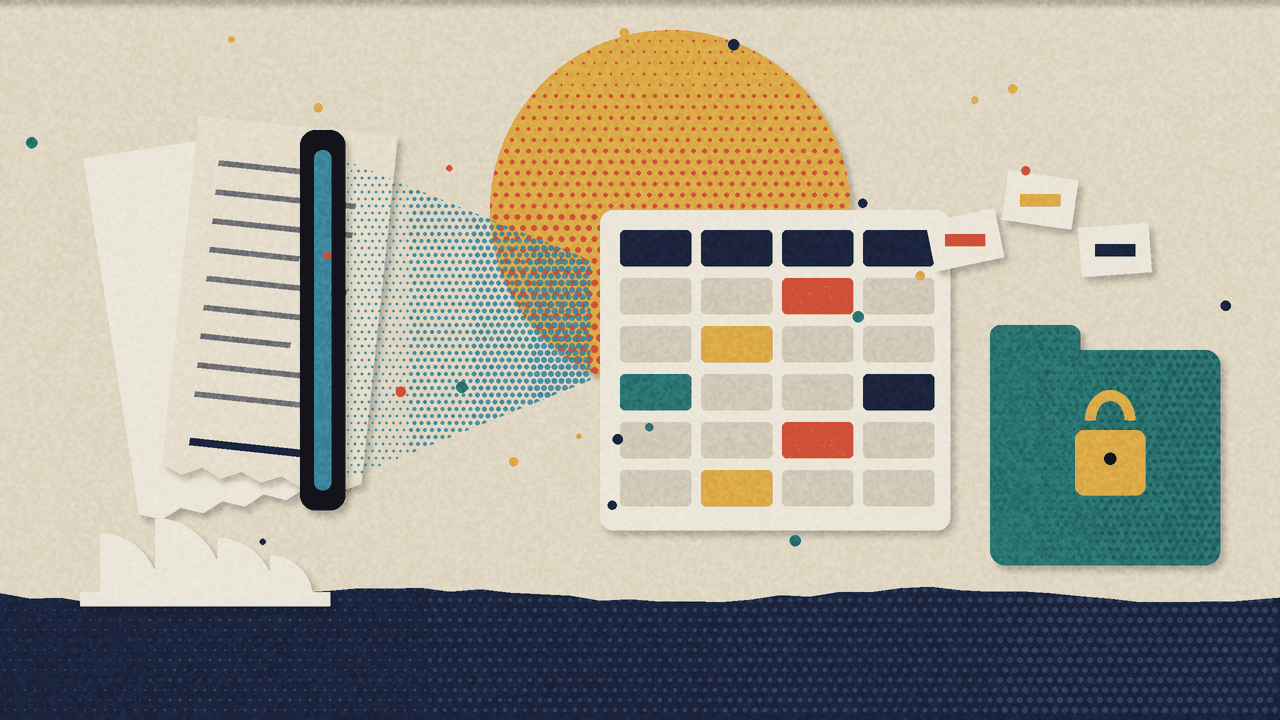
These are the open source OCR tools we'd actually put in front of an Australian business in 2026: tools that read scanned invoices, receipts, statements and contracts, turn them into searchable PDFs or clean data, and can run on your own hardware. Ten made the cut. Nine didn't, and we explain why.
Every office has the pile. The box of old receipts. The "Scans" folder with 4,000 files called scan0001.pdf. None of it is searchable, so finding one document means opening them one by one.
OCR (optical character recognition) turns pictures of text into text. Document extraction goes further and pulls out the fields you care about: supplier, ABN, date, GST, total.
One honest point before the list. If all you want is supplier bills into Xero, start with what you already pay for. Xero creates draft bills from attachments forwarded to its email-to-bills address, Hubdoc comes with many Xero plans, and MYOB AccountRight's In Tray uses OCR to prefill bills. Open source earns its place when you need more than bills, more control, or a guarantee that client documents never leave your own server.
This is the second tool shortlist in our Monday series, after open source AI security tools.
Every tool had to pass all six:
Stars and push dates come from the GitHub API as of 2 November 2026, rounded down. Stars measure popularity, not safety.
These suit a normal office, as long as someone is comfortable with Docker or a terminal.
What it does: A self-hosted document management system. Drop in scans, photos, Office files or emails and it runs OCR (Tesseract, 100+ languages), keeps a PDF/A copy beside the original, and learns to auto-assign tags, correspondents and document types. It pulls attachments from email accounts by rule, with full-text search, custom fields, permissions and workflows.
Who it's for: Any small business or practice that wants a searchable archive instead of a shared drive full of scans.
Aussie scenario: A bookkeeping practice in Dee Why points a mail rule at its accounts inbox, whether that's Outlook or Google Workspace. Every supplier PDF lands in Paperless, gets OCR'd and tagged by supplier. "Find the Telstra invoice from March" becomes a ten-second search. Handy, given the ATO generally expects records kept for five years.
Our take: If you only install one tool from this list, make it this one. The docs state your data stays on your server unless you choose otherwise. The AI features and Azure remote OCR are opt-in and off by default, which is the right way round. One caveat: the quick-install command pipes a script from the internet into bash. Read the script first, or use the Docker Compose files directly.
GPL-3.0 licence, 47k+ stars, last push 2 Nov 2026. github.com/paperless-ngx/paperless-ngx
What it does: A command-line tool that adds a searchable text layer to scanned PDFs without changing how they look. It deskews and rotates crooked pages, outputs PDF/A for long-term storage, often shrinks file size, and uses every CPU core. It runs Tesseract under the hood.
Who it's for: Anyone with a folder of image-only PDFs. It's also the engine inside Paperless-ngx.
Aussie scenario: A strata manager in Chatswood has ten years of scanned minutes and by-laws on Google Drive. Run them through OCRmyPDF once, re-upload, and Drive search finally finds words inside them.
Our take: Boring in the best way. It installs from normal package managers (apt, Homebrew, Docker), runs on your machine and does one job well. It won't extract invoice fields, but searchable is half the battle.
MPL-2.0 licence, 35k+ stars, last push 25 Oct 2026. github.com/ocrmypdf/OCRmyPDF
What it does: A self-hosted PDF toolbox with 50+ tools: OCR, merge, split, redact, sign, compress and convert, through a browser UI and a REST API.
Who it's for: Offices where staff currently upload client PDFs to random free websites to merge or OCR them.
Aussie scenario: A mortgage broker in Parramatta runs it on an internal server so staff can redact tax file numbers and combine payslips without sending anything to an unknown website.
Our take: The privacy win is real. Two caveats. It's open-core: the root licence is MIT, but several directories carry their own licences and some features are paid. And the default config prompts the admin about analytics (PostHog and a Scarf pixel) on first launch. Set enableAnalytics to false in settings.yml if you want it quiet.
MIT core with proprietary parts, 95k+ stars, last push 2 Nov 2026. github.com/Stirling-Tools/Stirling-PDF
Searchable isn't structured. These pull fields out for Xero, MYOB or a spreadsheet.
What it does: A Python library and CLI that extracts invoice fields using YAML or JSON templates, one per supplier layout, and outputs CSV, JSON or XML. It can use OCR backends (Tesseract, OCRmyPDF, docTR, PaddleOCR) for scans, with an optional AI fallback when no template matches.
Who it's for: Businesses with a stable set of regular suppliers and someone who can write a regex.
Aussie scenario: A café group gets the same 15 supplier invoices every month. Fifteen templates later, a nightly job turns the inbox's PDFs into a CSV of supplier, invoice number, date, GST and total, ready to check and import as draft bills.
Our take: Our favourite for accounting data, because it's deterministic. A template either matches or it doesn't, and it never makes up a total. The AI layer is opt-in, defaults to a mock provider with no network calls, and sends only document text. Point it at Ollama if you want that local too.
MIT licence, 2.2k+ stars, last push 28 Oct 2026. github.com/invoice-x/invoice2data
What it does: A companion to Paperless-ngx that uses LLMs (OpenAI or local Ollama) for OCR on messy scans, plus AI-generated titles, tags, correspondents, dates and custom fields. It can link related documents, so a credit note points to its invoice. It has a manual review screen, and its safest write mode never overwrites existing fields.
Who it's for: Paperless-ngx users whose scans are too rough for Tesseract, or who want invoice numbers and amounts filled into custom fields.
Aussie scenario: The Dee Why practice from above adds paperless-gpt with a local model, so every supplier invoice gets an "amount" and "invoice number" field without anyone typing.
Our take: Useful, with one big warning from its own README: no built-in authentication. Anyone who can reach the port can rewrite your documents and spend your API credits. Put it behind a login proxy or a VPN, never on the open internet. And if you use OpenAI rather than Ollama, page images of your invoices go overseas.
MIT licence, 2.8k+ stars, last push 28 Oct 2026. github.com/icereed/paperless-gpt
What it does: A platform for extracting structured JSON from documents using LLMs. You describe the fields in plain-language prompts in its Prompt Studio, then deploy the result as a REST API, an ETL pipeline from sources like Google Drive or SFTP into a database, or an MCP server. There's an n8n node.
Who it's for: Businesses processing the same document type at volume: certificates of currency, bank statements, applications.
Aussie scenario: An insurance broker pulls policy number, insurer, expiry date and sum insured from certificates of currency landing in a Google Drive folder, then writes them to Postgres for the CRM to read.
Our take: Powerful, and the heaviest install here (Docker, Postgres, Redis, RabbitMQ, 8 GB RAM minimum). Four caveats. It's AGPL-3.0. It ships PostHog analytics, which you turn off with an environment variable. The local install logs in with a default username and password, so change them on day one. And the text extractors it lists (LLMWhisperer, Unstructured.io, LlamaIndex Parse) are hosted APIs unless you run one yourself, so check where documents go at that step.
AGPL-3.0 licence, 7.3k+ stars, last push 2 Nov 2026. github.com/Zipstack/unstract
Building blocks for a private AI assistant over company documents, or your own invoice pipeline.
What it does: Converts PDFs, Word, Excel, PowerPoint, images, emails (EML and MSG) and more into Markdown or JSON, keeping layout, reading order and table structure. OCR for scans, optional vision models, a CLI, an API server and an MCP server. Started at IBM Research, now hosted by the LF AI & Data Foundation.
Who it's for: Developers feeding documents into AI systems who need tables to survive.
Aussie scenario: An accounting firm in North Sydney builds an internal assistant over engagement letters and financial statements, hosted in Australia. Docling turns those PDFs into clean text with the tables intact before anything gets indexed.
Our take: Our default parser right now. The MIT licence and foundation home make procurement easy, and it supports air-gapped use. Models download from Hugging Face on first run, so pre-fetch them, and check each model's own licence.
MIT licence, 69k+ stars, last push 1 Nov 2026. github.com/docling-project/docling
What it does: A full OCR and document parsing toolkit from Baidu's PaddlePaddle team. Text recognition in 100+ languages, a small vision-language model for document parsing, and output as Markdown or JSON with coordinates.
Who it's for: Developers who need strong raw OCR, especially on photos and mixed languages.
Aussie scenario: A business in Sydney's west whose customers write in English, Chinese and Arabic builds a receipt-photo upload into its staff app, with PaddleOCR doing the reading on its own server.
Our take: Excellent engine, and multilingual support matters in Australia. The README's benchmarks are the project's own, so test on your documents. A developer tool, not something an office manager installs.
Apache-2.0 licence, 92k+ stars, last push 16 Sep 2026. github.com/PaddlePaddle/PaddleOCR
What it does: Converts PDFs, images, Office files and EPUBs to Markdown, JSON, chunks or HTML. It handles tables, forms and equations, strips headers and footers, and can use an LLM to improve accuracy. Runs on GPU, CPU or Apple Silicon.
Who it's for: Developers converting long, complex PDFs.
Aussie scenario: A compliance consultant converts 300-page product disclosure statements into Markdown so a team can compare clauses.
Our take: Fast and accurate, but read the licence before you build a business on it. The code is Apache 2.0. The model weights use a modified OpenRAIL-M licence that's free for research, personal use and startups under $5M in funding or revenue. Above that, you need a commercial licence from Datalab. Plenty of Aussie SMBs sit under that line. Plenty don't.
Apache-2.0 code, separate model licence, 40k+ stars, last push 30 Oct 2026. github.com/datalab-to/marker
What it does: Microsoft's lightweight Python tool for converting PDF, Word, Excel, PowerPoint, Outlook messages, images, HTML and more into Markdown for LLMs.
Who it's for: Developers who need a quick, light converter for mostly digital documents.
Aussie scenario: A professional services firm exports Outlook messages and their attachments, converts them to Markdown, and indexes them for an internal search assistant.
Our take: Great for Office files, not a scanned-paper tool. OCR on scanned PDFs needs the markitdown-ocr plugin with a vision model you supply, or Azure Document Intelligence, which is a billed cloud call. And the README notes that if you don't provide an LLM client, the OCR plugin silently skips OCR. Check your output.
MIT licence, 193k+ stars, last push 29 Oct 2026. github.com/microsoft/markitdown
On privacy, the rule is simple. A local OCR engine keeps documents on your hardware. The moment you add a cloud LLM, page images or text go to that provider, often overseas. Invoices carry names, addresses and bank details, so that's a disclosure under the Privacy Act's APP 8. Use a local model, or an Australian-hosted one, for anything client-facing. Our private AI in Australia page covers how we set that up.
For most offices, Paperless-ngx. It combines OCR, search and email import in one self-hosted app. For one-off batches of scanned PDFs, OCRmyPDF is simpler.
Not directly. They extract the data, then you need a connector, usually n8n or a small script using the Xero or MYOB API, to create draft bills. Keep a person approving them.
On clean, typed documents, often close enough. On crumpled receipts and handwriting, paid services can still win. Test on 50 of your own documents first.
Not for Paperless-ngx, OCRmyPDF, Stirling-PDF or invoice2data. Docling, PaddleOCR and Marker are much faster with a GPU or Apple Silicon.
It can be. Keep processing local or Australian-hosted, and never let an AI approve a bill or payment on its own.
We put AI agents and automations to work inside Australian businesses, and we show you the controls that make them safe to keep. For document work, that usually means a self-hosted archive, extraction that feeds Xero or MYOB as drafts, and a clear answer on where every document goes. See how we approach business automation.
Whether you're in the Sydney CBD, Parramatta, the Northern Beaches or elsewhere in Australia, email info@ailabaustralia.com with what's in your paper pile, and we'll tell you honestly which of these tools fits, or whether you need any of them.
Get expert guidance on implementing ai tools solutions for your Australian business