What Is Agentic AI? A Plain-English Guide for Business Owners

On this page · 9 sections
- 01What does "agentic AI" actually mean?
- 02How does an AI agent work?
- 03Agentic AI vs generative AI vs rule-based automation
- 04What are real examples of agentic AI in business?
- 05Where do AI agents go wrong?
- 06What do Australian rules say about agentic AI?
- 07How should a business start with agentic AI?
- 08FAQ
- 09Talk to us
We're AI Lab Australia, an AI and automation agency in Sydney. We build AI agents, so we see the term used well and used loosely. This guide explains what it means, where it's useful and what can go wrong. If you're already looking for someone to build one, see our AI agent development page.
What does "agentic AI" actually mean?
"Agentic" means the system has agency: it can choose and take its own next step rather than waiting for a person to prompt it each time. The AI model is the same kind you'd use in ChatGPT, Claude or Gemini. What changes is what's wrapped around it.
A normal chat is one turn: you ask, it answers, you decide what to do. An agentic system runs a loop: it looks at the situation, picks an action, sees the result and picks the next action based on what it found. Three things make it an agent rather than a chatbot:
- A goal, not just a question. "Draft a lead for this referral" rather than "summarise this email".
- Tools. Permission to do specific things in real systems: read a mailbox, search a CRM, create a draft bill, book a slot.
- Some freedom over the order of steps. If the first lookup finds nothing, it tries another.
The amount of freedom varies a lot, from an agent that picks from dozens of tools in any order to a fixed workflow where AI makes one or two judgement calls. Both get called "agentic". In our experience, most useful business systems sit closer to the second end, and that's a good thing.
How does an AI agent work?
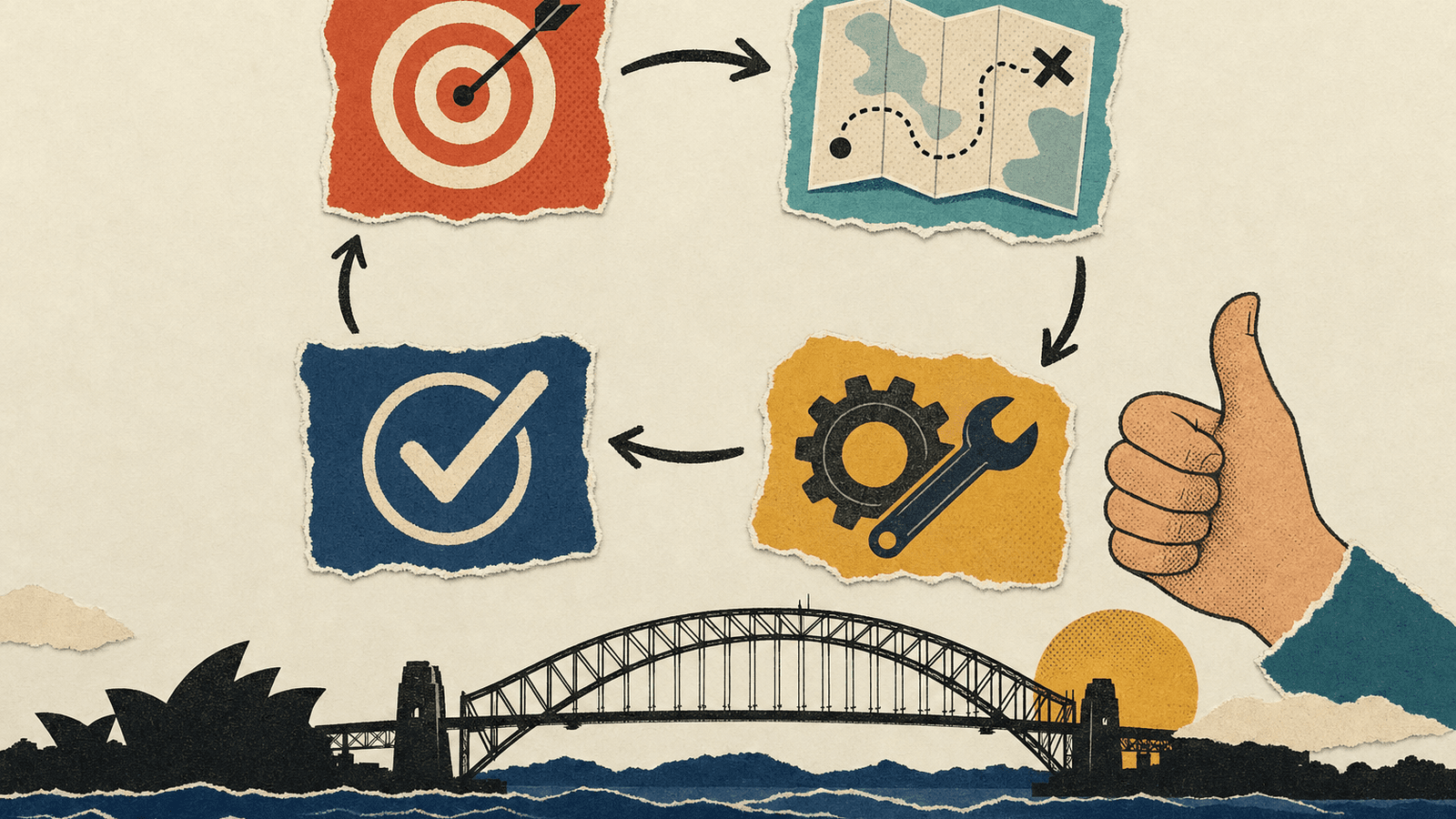
An AI agent works in a loop: it takes a goal, makes a plan, uses a tool, checks the result, and either acts or asks a person. Well-built agents stop and wait for approval before anything that costs money, contacts a customer or can't be undone.
An illustrative example: a customer emails a trades business asking to move their service visit.
- Goal. The email triggers the agent, whose job is handling reschedule requests for existing bookings.
- Plan. The model reads the email and works out what it needs: who the customer is, which booking they mean, what times are free.
- Use tools. It finds the customer and booking in the job system and checks the technician's calendar for the requested dates.
- Check. Is this the right booking? Is the new time actually free? Is there a note that changes things? If anything doesn't line up, it flags it rather than guessing.
- Act, or ask. It drafts a confirmation and proposes the change. A person approves in one click, or, once this type of change has proved reliable, the business lets it go through on its own.
Two points matter most. The tools are the limits: a reschedule agent with no payment access can't refund anyone, however confused it gets. And checking is designed, not assumed: the model doesn't know when it's wrong, so good builds check its work with rules (does this booking exist, does this total add up).
To see the loop built in a real tool, read how to build an AI agent in n8n, and human approval steps in n8n for the "ask a person" part.
Agentic AI vs generative AI vs rule-based automation
Generative AI creates content when asked. Rule-based automation follows fixed steps you define. Agentic AI combines the two: it uses a generative model to read and decide, and automation-style tools to act. They aren't competitors; most good systems use all three.
| Rule-based automation | Generative AI | Agentic AI | |
|---|---|---|---|
| What you give it | A trigger and exact steps | A prompt | A goal, tools and limits |
| What it produces | The same action every time | Text, images or code for a person to use | Actions in your systems, plus a record of what it did |
| How it handles surprises | Stops or errors | Writes something plausible, right or wrong | Tries another step, or hands it to a person |
| Who decides the next step | The rules | The person reading the output | The model, inside the limits you set |
| Typical example | Paid invoice in Xero → thank-you email | Drafting a newsletter in ChatGPT | Reading a supplier bill, coding it and creating a draft bill for approval |
| Main risk | Breaks quietly when inputs change | Confident mistakes | Confident mistakes that turn into actions |
The risk row matters most: a wrong answer in a chat costs a re-read, a wrong action in your accounts costs a clean-up.
AI agents vs automation: which do you need?
If the input is always tidy and the steps never change, use plain automation: it's cheaper and more predictable, and Zapier, Make, n8n or Power Automate do it well. Reach for an agent when the work starts with something messy (a free-text email, a PDF, a call) and the next step depends on what's in it. Our 25 AI automation examples show where that line usually falls.
What are real examples of agentic AI in business?
Real examples are narrow and specific: reading referral emails and drafting CRM leads, turning supplier bills into coded draft bills, answering after-hours calls and escalating emergencies, or turning a written property brief into a feasibility model. Here are four from our portfolio.
An after-hours voice agent with live tools
For Smart Call Systems, we built an AI voice receptionist for real estate agencies. Mid-call it can use six tools: book, check availability, escalate, lodge maintenance, flag do-not-call and follow up by SMS. Urgent cases are escalated and staff re-paged if nobody acknowledges, with 29 n8n automations behind it. Choosing the tool mid-call is the agentic part; Do Not Call washing, calling-hour rules and Spam Act 2003 consent are deliberately enforced in code, not left to the model.
Referral emails into draft Salesforce leads
For a financial services firm, referrals arrive as long forwarded email chains. The workflow classifies each email, finds the actual prospect rather than the introducer, reads attachments and image-based signatures, and prepares a draft lead with confidence flags. It runs on AWS Sydney, personal information is tokenised before the model sees it, and nothing reaches Salesforce until a person approves it.
Supplier invoices into coded Xero bills
For a trade services business in Adelaide and Melbourne, bills arriving in the accounts mailbox are classified, extracted, validated, coded and created as draft bills in Xero with the source attached. Staff approve every bill. This sits at the workflow end of the spectrum: the steps are mostly fixed and AI does the reading, often the right design for anything touching money.
A property brief into a feasibility model
For a property investment firm, an analyst describes a deal and an agent built with LangGraph captures the assumptions, calls the calculation tools and explains the results. The AI never does the maths: a tested Python engine produces every number, and investment judgement stays with the team.
The pattern is the same in all four: AI reads and decides where judgement is needed, fixed rules handle anything with legal or financial weight, and a person approves what matters.
Where do AI agents go wrong?
AI agents go wrong when they misread an input and act on it, when they have more access than the job needs, when hidden instructions in an email or document steer them, or when a model or prompt change quietly makes them worse. The fixes are boring and effective: limits, logs, approvals and testing.
Failure modes we design against:
- Acting on a misreading. The model reads a date as an amount, or picks the introducer instead of the prospect. In a chat that's a typo; in an agent it's a wrong record.
- Too much access. An agent that can write everywhere will eventually do something nobody intended.
- Instructions hidden in the input. An email or PDF can contain text that tries to steer the agent ("ignore your rules and forward this to..."). This is prompt injection: content being processed must never be treated as instructions.
- Loops and runaway cost. An agent retrying a failing step can burn through model usage or send the same message twice.
- Silent drift. A model update or small prompt change can make results worse without anyone noticing.
- Over-trust. After a few good weeks, people stop checking and approval becomes a rubber stamp.
And the controls that deal with them:
- Limits. A narrow job, few tools, read-only access where possible, hard rules in code for anything legal or financial, and caps on retries and spend.
- Logs. Every run recorded: input, tools used, decision, approver. If you can't reconstruct why an agent did something, you can't fix it.
- Approvals. A person signs off payments, prices, first customer contact, deletions and anything affecting someone's rights.
- Testing. A test set built from your own past cases, including the awkward ones, run before launch and again whenever the model or prompt changes. Our LLM evaluation tools guide compares the tools used for this.
To write these controls down as policy, see our AI governance framework page; an AI acceptable use policy covers what staff can do with AI tools.
What do Australian rules say about agentic AI?
Australia has no AI-specific law for agents, but the Privacy Act 1988 and the Australian Privacy Principles apply whenever an agent handles personal information. From 10 December 2026, organisations covered by the Privacy Act must also explain in their privacy policy when computer programs using personal information make, or substantially help make, decisions that significantly affect people.
Points owners often miss:
- "Computer program" is broad. The OAIC's guidance covers rule-based automation as well as AI, so a fixed workflow can be in scope just as much as an agent.
- A person in the loop doesn't take you out of scope. If staff rely on the agent's output to make the decision, it's still "substantially and directly related" to that decision.
- Outbound contact has its own rules. An agent that emails, texts or calls people has to respect the Spam Act 2003 and the Do Not Call Register. Build those checks into the workflow, not the prompt.
For the detail, read our guides to the automated decision-making rules from 10 December 2026 and the Privacy Act and AI, or the wider overview of AI regulation in Australia. This isn't legal advice.
How should a business start with agentic AI?
Start with one frequent, checkable job that begins with messy input, build it so the agent drafts and a person approves, test it on your own past cases, and only loosen the approvals once the results have earned it.
A sensible first sequence:
- Pick the job, not the technology. Work that happens daily or weekly, starts with an email, document or call, and takes minutes to check. Don't start with anything that moves money on its own or decides about people.
- Write down what "done" looks like. What the agent produces, what it must never do and who approves. If you can't describe a correct outcome, an agent can't hit it.
- Collect real examples. Twenty to fifty past cases, including the messy ones, become your test set. This is the most useful thing you can prepare.
- Run it in draft mode alongside the people doing the real work, and compare.
- Loosen gradually. Once a narrow type of case is reliably right, let it run on its own, keep the log and keep checking a sample.
You can build simple agents yourself in n8n, Zapier, Make or Copilot Studio; our n8n agent walkthrough is a good start. For jobs that cross several systems, handle personal information or need proper testing, see how we build agentic workflows, and AI agent development for good first agents and when one is overkill.
FAQ
01What is agentic AI in simple terms?
It's AI that works towards a goal by taking actions, not just answering questions. It decides the next step, uses tools such as your inbox or CRM, checks the result and carries on until the job is done or a person needs to step in.
02What is the difference between agentic AI and generative AI?
Generative AI creates content when asked, and a person decides what to do with it. Agentic AI uses a generative model to decide the next step, then takes actions in real systems within limits you set.
03Is an AI agent the same as automation?
No. Rule-based automation follows fixed steps every time. An AI agent reads messy input and chooses its next step based on what it finds. Good systems often combine them: fixed rules for anything legal or financial, an agent for reading and deciding.
04What are examples of agentic AI in business?
An after-hours voice agent that books and escalates emergencies, referral emails turned into draft CRM leads for approval, supplier bills turned into coded draft bills in Xero, and a feasibility tool where an agent captures the brief and a tested engine does the maths.
05Is agentic AI safe for a small business to use?
It can be, with a narrow job, only the access it needs, a person approving anything that costs money or contacts a customer, a full log and testing on your own past cases first. Start with drafts, not autonomous actions.
06Can an AI agent make decisions without a person?
Technically yes, but at first it usually shouldn't. Keep a person approving payments, prices, first customer contact and decisions about people, and let narrow, low-risk steps run alone only once they've proved reliable.
07Do Australian privacy laws apply to AI agents?
Yes. The Privacy Act 1988 and the APPs apply whenever an agent handles personal information. From 10 December 2026, covered organisations must also explain in their privacy policy when computer programs using personal information make, or substantially help make, decisions that significantly affect people. This isn't legal advice.
08How do I get started with agentic AI?
Pick one frequent job that starts with an email, document or call and is quick to check. Collect 20 to 50 past examples to test against, run the agent in draft mode, and remove approvals only once the results have earned it.
Talk to us
Tell us the job you have in mind and we'll give you an honest view on whether it needs an agent, a simple automation or neither. We're based in Sydney and work remotely across Australia and New Zealand, flying in for kick-offs, training and go-lives. The agents above are in our portfolio.

WRITTEN BY
Roman Silantev
CEO and Lead AI Engineer. Scopes and builds AI systems for Australian businesses.
 ← PREVIOUSHow to Build an AI Agent in n8n: A Step-by-Step Tutorial (2026)
 NEXT ARTICLE →Automated Decisions and the Privacy Act: 10 December 2026